Embedded BI query cell (demo)
A small, product-style BI page that uses pyspark-connect-web as a live query
cell: pick a table, write SQL, see results. The real PySpark Connect client runs
in the browser (Pyodide) and talks to a remote Spark Connect server over
grpc-web. No JVM, no pip install pyspark, no client setup.
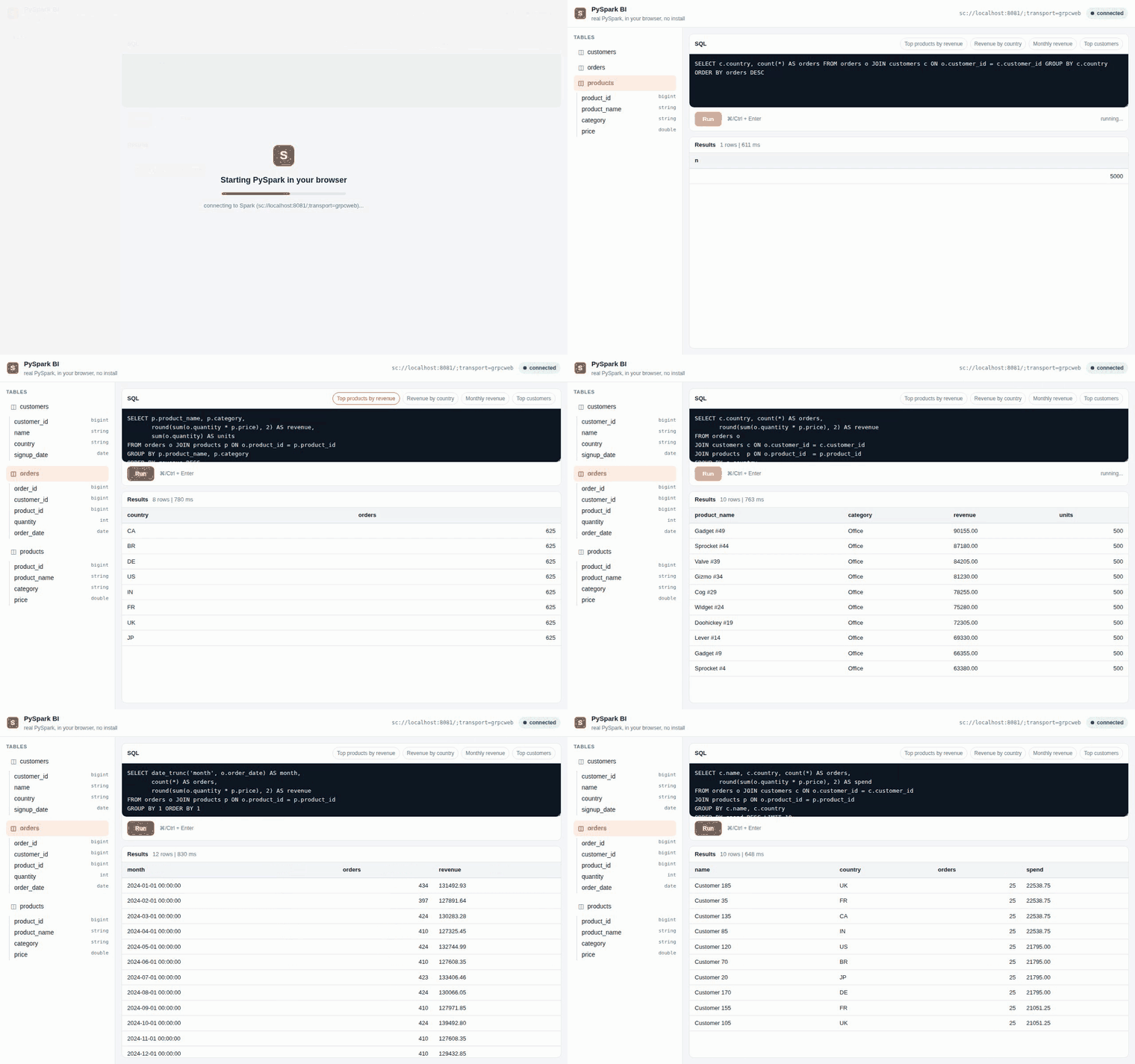
Recorded in CI (
tests/e2e/demo.spec.ts) against a real Spark Connect server: PySpark boots in the browser tab, then picks a table, runs SQL, and renders results.
Source: demo/
(see demo/README.md).
What it does
- Picks a table: a synthetic retail dataset (
customers,products,orders) shown in a sidebar. - Shows schema for the selected table.
- Runs your SQL:
spark.sql(...).toPandas()over the blocking SAB/Atomics bridge, rendered as a result grid (first 1000 rows). - Ships example analytics queries: top products by revenue, revenue by country, monthly revenue, top customers.
It is the same boot path as the standalone harness (a module Web Worker running
worker_bootstrap.js plus the bridge.js blocking transport), with a BI UI
layered on top of window.__pcwRunPython.
How the data works
The retail dataset is defined as deterministic CTEs (seeded pmod arithmetic)
that are injected into every query, so every statement sent to Spark is a
data-returning SELECT (no DDL). The same dataset appears for every visitor,
with no warehouse writes, and it works on any Spark Connect server. These exact
queries are regression-tested against a live Spark Connect server in
tests/integration/test_demo_queries.py
(the cheap ci.yml integration job, no browser), and the page itself is driven
end to end in a real browser by the e2e workflow.
Run it
You need Docker (for the Spark Connect server and Envoy proxy) and the site-build toolchain.
# 1. Build the JupyterLite site and stage the demo into it at /demo/
scripts/build_demo_site.sh

# 2. Bring up Spark Connect 4.x + Envoy grpc-web + the static host
docker compose -f deploy/compose.yaml up
#    wait for "pcw-spark-connect" to report healthy (about 60s cold start)

# 3. Open the cross-origin-isolated page
open http://localhost:8000/demo/
First load spends about 15 to 30 seconds booting Pyodide and installing the
PySpark wheels in the browser; after that it is interactive. Point it at a
different backend with ?remote=, for example
http://localhost:8000/demo/?remote=sc://myhost:8081/;transport=grpcweb.
Why it must be served by Envoy, not opened from disk
The blocking bridge uses SharedArrayBuffer and Atomics.wait, which require a
cross-origin-isolated page (Cross-Origin-Opener-Policy: same-origin plus
Cross-Origin-Embedder-Policy: credentialless). The deploy Envoy sets those
headers and serves the same-origin /worker/, /pyodide/ and *.whl assets the
page loads, which is why the demo lives under the built site rather than being
opened from the filesystem.