pyspark-connect-web - PySpark in JupyterLite
Run the real PySpark Connect Python client inside a browser (JupyterLite/Pyodide), talking to a Spark Connect server through a grpc-web transport. Your existing PySpark code runs unchanged - no reimplementation, no local JVM, no Python backend server.
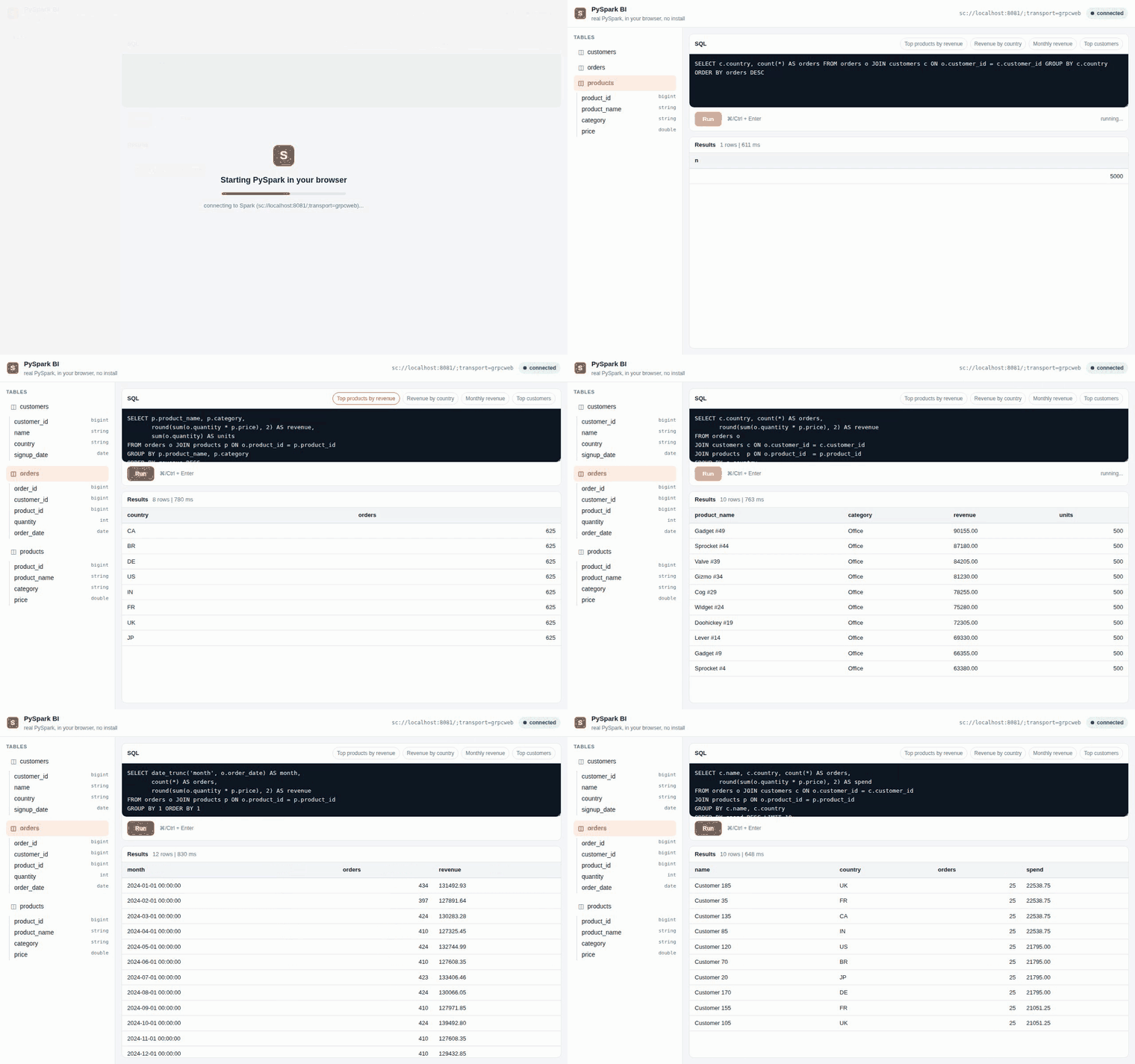
The embedded BI query cell demo recorded in CI against a real Spark Connect server: PySpark boots in the browser tab, then picks a table, runs SQL, and renders results. No JVM, no
pip install pyspark, no client setup.
import pyspark_connect_web as pcw
pcw.install()

from pyspark.sql import SparkSession
spark = SparkSession.builder.remote("sc://localhost:8081/;transport=grpcweb").getOrCreate()
spark.range(10).filter("id % 2 = 0").toPandas()   # runs in your browser tab
A thin client, not local compute
This is a thin client, not local compute. PySpark's Connect client is pure
Python above a single gRPC stub: it builds protobuf plans and ships them to the
server. We monkey-patch only that stub with a grpc-web/fetch transport, and
make calls blocking via a Web Worker + Atomics/SharedArrayBuffer bridge so
.collect() returns data synchronously. Everything above the stub - DataFrame,
Column, functions - is untouched.
You still need a running Spark Connect server (Spark 4.x) behind an Envoy grpc-web proxy. The browser does not run Spark; it builds plans and renders results. The win is: no Python backend, the real PySpark API, anywhere a browser runs.
flowchart LR
    U["User PySpark code (unchanged)"]
    SCC["SparkConnectClient"]
    ENVOY["Envoy grpc_web proxy"]
    SPARK["Spark Connect server (Spark 4.x)"]
    PD["pandas"]

    U -->|builds protobuf plan| SCC
    SCC -->|patched stub: grpc-web over fetch| ENVOY
    ENVOY --> SPARK
    SPARK -->|Arrow IPC| ENVOY
    ENVOY -->|decode| PD
    PD --> U
Where to go next
| If you want to... | Read |
|---|---|
| Install the package into a browser/JupyterLite env | Installation |
| Run a query end-to-end as fast as possible | Quickstart |
| Bring up Spark Connect + Envoy on your laptop | Running locally |
Understand sc://, TLS, and auth |
Connection patterns |
| Host the JupyterLite site (GitHub Pages, Netlify, ...) | JupyterLite hosting |
| Understand the internals | Architecture |
| Deploy past localhost safely | Security |
| Look up the public API | API reference |
Status
Early development. The server side (deploy/) and the e2e scaffold
(tests/e2e/) are in place; the browser client and the JupyterLite build are in
progress. See CONTRIBUTING.md in the repository for the build plan and
the design notes for the load-bearing invariants.
License
Apache-2.0. "Apache Spark", "Spark", and "PySpark" are trademarks of the Apache Software Foundation, used here only to describe interoperability.